
Editing your profile
Change your display name, pronouns, region, and privacy settings.
In Gridlock, all players have their own profile associated with their user. This profile is used to identify you inside the game (through pronouns and region), but also outside the game.
Editing your profile
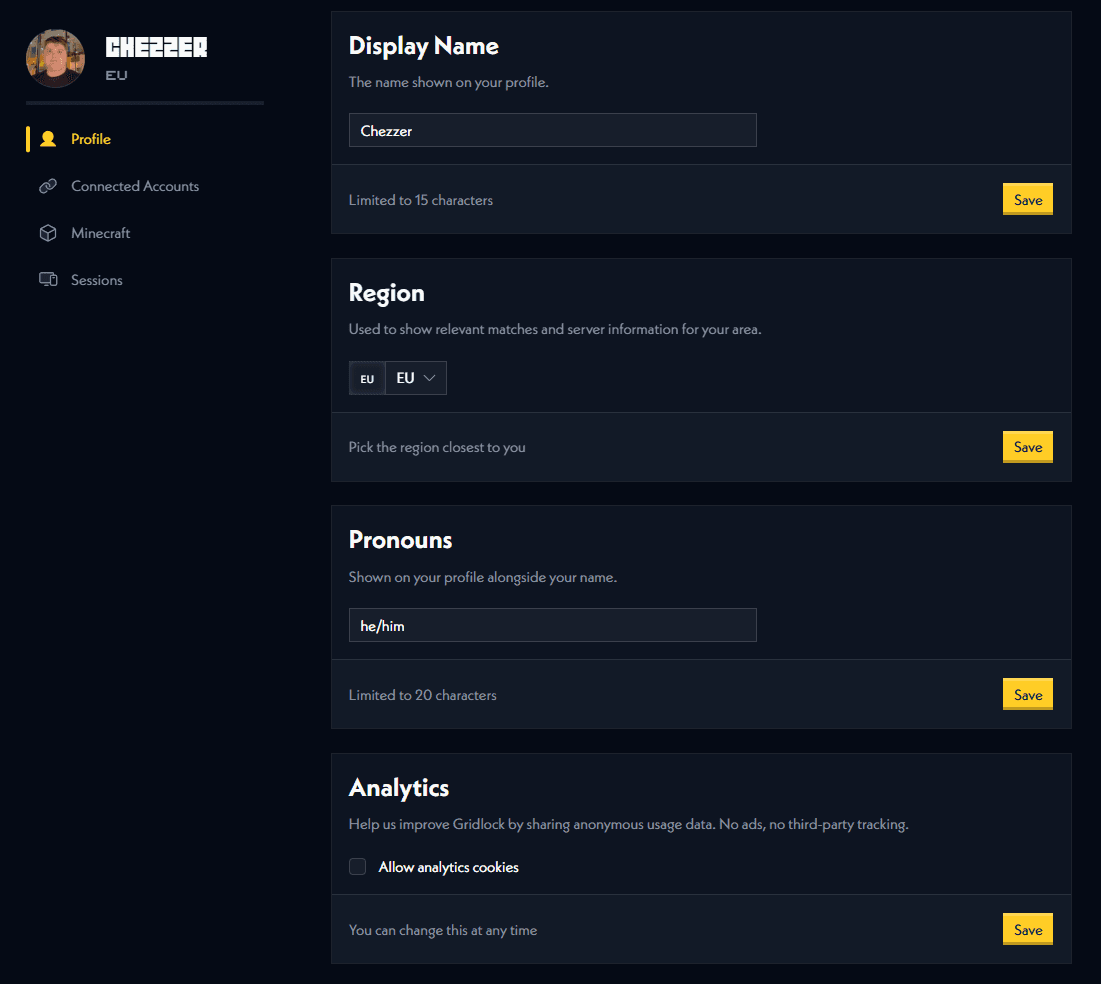
To edit your profile, you can change your display name, pronouns, region, and privacy settings in your Account Settings.
Each setting has it's own set of rules and restrictions. If you run into any issues, please contact us on our Discord server.
Why can't I edit my region?
You cannot edit your region if you are inside of a duo. This is due to the other half of your duo being in a different region if you do decide to change it. This means you cannot compete since both players will be in different regions. If this does happen, disband your duo, get both players to change their regions, and then request duo invitations again.
Why you should edit your Profile
We use your profile to identify you on the Gridlock livestreams, including your display name. We will show your display name, pronouns, associated channels (like Twitch and YouTube), Minecraft skin and Minecraft username on livestreams, social media, announcements, our Discord server via role assignment and other forms of media that we produce. Please ensure that this information is up to date and correct, especially if you are competing past the open qualifiers.